

Features
Server management
What customers can do with their own servers: power operations, reinstall, resize, clone, snapshots, extra disks, schedules, locking, transfer to another account and operating-system updates.
On this page
Everyday operations
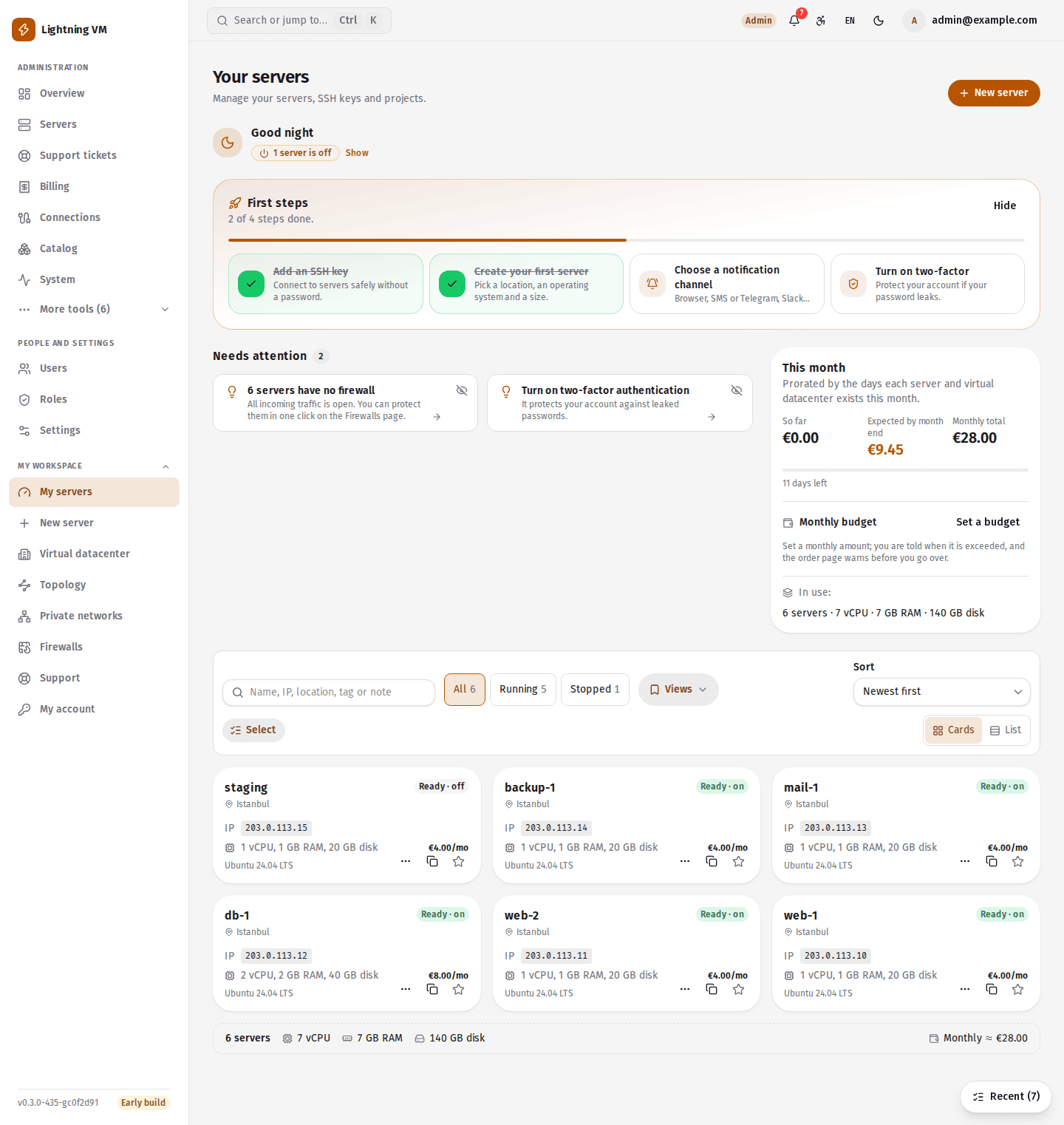
The server page has power on, power off and restart, a delete confirmation, the operation history, and graphs for CPU, RAM, disk and network. The graphs only fill on VMware and Proxmox; on the other platforms they stay empty. From the menu on a server's card in the list a customer can rename, lock or delete the server.
When an operation fails, the top of the server page says what went wrong and offers a single next step. For transient errors that step is "Retry" (only for power on, graceful shutdown, reset and taking a snapshot); when payment is the obstacle it points to the invoices, when quota is the obstacle to the quota, and otherwise to a support ticket with the details already filled in. Where the team has to look at the problem, retrying is never offered.
Reinstall, resize and clone
- Reinstall: the server is rebuilt on another image with the same addresses and keys. Before you confirm, the dialog sums up what the image will become, what stays and what is erased.
- Resize: to a package or to a custom size. A disk can only grow. With billing on, the difference is invoiced pro rata by the day; in 3, 6 and 12-month periods it is calculated for all the remaining months. On XCP-ng, Hyper-V, KVM and Incus the size changes with the server powered off; the panel shuts it down and starts it again itself.
- Clone: a copy of a server together with its disk. On oVirt a server cannot be cloned from another server.
Snapshots, disks and schedules
Taking, reverting to and deleting snapshots, and adding and removing extra disks, exist on all seven platforms. The number of snapshots per server is a role limit (5 by default). The panel shows a suggestion for snapshots older than 30 days.
A power schedule turns a server on, or shuts it down gracefully, on the days you choose at a local time. The "Office hours" button adds power-on at 08:00 and shutdown at 19:00 on weekdays in one click. A server can have at most 10 schedules. If the API is down for more than five minutes, that run is missed and not made up for.
Tags and notes are there to keep servers in order; favourites mark the ones you use most.
Deletion, locking and transfer
- Grace period on deletion: a deleted server is first shut down and is removed when the configured period ends (24 hours by default). Until then the deletion can be undone.
- Server lock: blocks deletion, forced power-off, reinstall, resize and restores.
- Transfer to another account: the transfer is offered by e-mail, and if the other party accepts within 7 days the server moves together with its subscription. Saved SSH keys, the root password, tags, notes and schedules are cleared in the transfer; a cancellation at period end and the auto-renewal choice saved by the previous owner are reset; backups pass to the new owner. To take over a server, your e-mail address must have been proven.
Root password, apps and updates
The root password is set from the server page, and an order can include the installation of an app such as cPanel or Plesk. Both are applied through cloud-init. On Proxmox the template needs the QEMU guest agent for the root password, the hostname and app installation.
Pending and security updates inside the server are listed on the server page. The policy is "notify only", "install security updates" or "install everything", and a time can be set for the restart. This works on Linux with apt, dnf and yum; it does not exist for Windows. On images that use cloud-init, the notifier is installed by itself on a new server's first boot.
Working with the list
- Saved views: a filter and sort order of the server list can be saved under a name, recalled in one click, and one can be the default. Views are stored with the account, appear on every device and are visible only to their owner.
- Command palette (Ctrl+K): searches pages, servers, support tickets and invoices, keeps recently opened items, and starts quick actions such as a new support ticket, a balance top-up, a new server or adding an SSH key.
- Also: a server health score, a monthly cost estimate, quick connection details, and copy buttons for addresses and PTR records.
Limits
- The health score rests on CPU measurement. XCP-ng, oVirt, KVM and Incus have no per-server CPU measurement, so the score means nothing there.
- Traffic counting and the quota warning exist only on VMware and Proxmox.
- A server suspended over an unpaid invoice is shut down and locked for the customer; nothing but shutdown and deletion is possible.
- Which operation exists on which platform is on the Platforms and coverage page.
Install command
curl -fsSL https://lightningvm.app/install.sh | sudo shUbuntu 22.04 / 24.04 / 26.04. Requirements and options